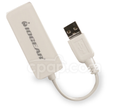
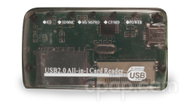
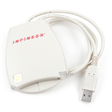
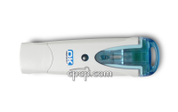
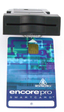
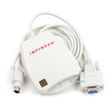
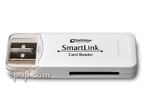
This is the only type of card reader that will download information from a Sandman smart card for processing by Sandman Therapy Software Clinical Kit 1.0
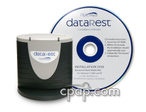
This product does not include software nor the smart card, only the card reader. The driver for this reader is included in the Sandman Therapy Software Clinical Kit 1.0. Return On Warranty Issues Only
Specifications
CPAP.com always offers these services:
8 am to 10 pm CST Toll Free Phone and Email Support
24 hour access to our CPAPtalk.com Support Forum
Learning Center for information on sleep apnea and cpap equipment
Consumer Purchasing Trends Reports
Product Evaluation Results from our Product Challenges
Warranty Services for all items purchased through CPAP.com
Insurance Compliant Invoices
Free Prescription Request System
Important Tips
This is a replacement or additional card reader.
Here are links to information that may be helpful in using this smart card:
"There are apparently 2 ways to get data from the Sandman Auto. One is with a cable that connects the Sandman directly to one's computer. This is the second option and came with the bundle I ordered. This Memory Card Reader works well. My only issue with it was that the instructions were very limited so I had to figure it out. Now that it's set, I'm very happy. Here's what I had to do:
1. Inside the case in a side pocket is what looks like a credit card or Smartcard. It has a middle section that is shaped like a key. You pull out this "key" and insert it into the Sandman Auto slot. It transfers the data stored in the Sandman. 2. The supplied CD has drivers for the memory card reader but I have Vista Ultimate 64-bit and none were appropriate. I went to the web site listed on the back of the memory card reader and downloaded the 64-bit driver. Once I did that, I inserted the USB end into one of my USB ports and the "key" from step 1 is inserted into the other end (there is a slot there - hard to see).
Then the software starts automatically.
I'm very happy to see that the Sandman Auto can store over 100 sessions!"
"With the advent of computers having data card readers integrated, I fail to understand why manufacturers of devices insist upon proprietary storage cards and interfaces.
That said, the Sandman USB Card Reader (Memory Card Reader)does the job, once you load the correct drivers from the software CD.
On my Vista computer, inserting the reader installed standard Windows drivers. The reader will not function with these drivers.
One must next go to "Device Manager," find the USBdevice, the click "update drivers." Chose the CD as the source and the correct drivers will install. Following installation, the reader works flawlessly."
Good product
Margaret G, VT – November 07, 2008
"There are apparently 2 ways to get data from the Sandman Auto. One is with a cable that connects the Sandman directly to one's computer. This is the second option and came with the bundle I ordered. This Memory Card Reader works well. My only issue with it was that the instructions were very limited so I had to figure it out. Now that it's set, I'm very happy. Here's what I had to do:
1. Inside the case in a side pocket is what looks like a credit card or Smartcard. It has a middle section that is shaped like a key. You pull out this "key" and insert it into the Sandman Auto slot. It transfers the data stored in the Sandman. 2. The supplied CD has drivers for the memory card reader but I have Vista Ultimate 64-bit and none were appropriate. I went to the web site listed on the back of the memory card reader and downloaded the 64-bit driver. Once I did that, I inserted the USB end into one of my USB ports and the "key" from step 1 is inserted into the other end (there is a slot there - hard to see).
Then the software starts automatically.
I'm very happy to see that the Sandman Auto can store over 100 sessions!"