- CPAP Masks
- CPAP Machines
- CPAP Supplies
- CPAP Accessories Home Sleep Test
- Blog
Chat with a 5-star expert now!
Chat with a 5-star expert now!
- Home /
- CPAP Supplies /
- CPAP Software /
- Machine Software /
- DeVilbiss
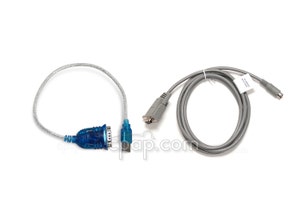
SmartLink Version 2 Software with Module, Cables, Data Card and Card Reader for DeVilbiss IntelliPAP Machines
Sorry, this item is no longer available.
Get Your Sleep Back
Setup is easy & takes minutes

Orders ship within hours (M-F)

Resupply items set to autopilot
Item # devilbiss-intellipap-smartlink-cpap-therapy-system
Not currently in stock
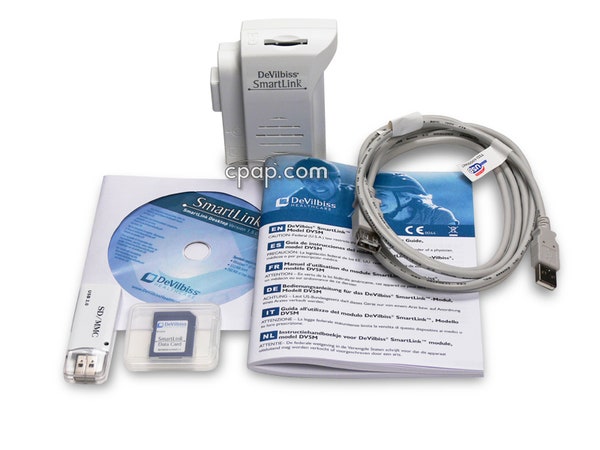
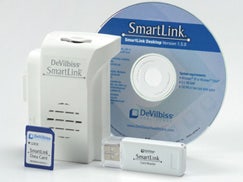


Learn More About This Product
Some CPAP manufacturers maintain a proprietary software package that is only compatible with their machines.
Here is a list of each manufacturer and the name of its related full data software available:
- Curative Medical: AutoManager Software for Curasa CPAP Machines
- DeVilbiss: SmartLink 3.0 CD for DeVilbiss IntelliPAP and IntelliPAP 2 Machines
- CPAP machines which record full data (such as AHI and leak info): AirSense™ 10 CPAP Machine with HumidAir™ Heated Humidifier
- AirSense™ 10 Elite CPAP Machine with HumidAir™ Heated Humidifier
- DreamStation Pro CPAP Machine
- ICON Premo CPAP Machine with Built-In Heated Humidifier and ThermoSmart
- IntelliPAP Standard Plus CPAP Machine with SmartFlex
- Luna CPAP Machine with Integrated H60 Heated Humidifier
- PR System One REMStar 60 Series Pro CPAP Machine with Bluetooth
- RESmart™ CPAP Machine with RESlex with Heated Humidifier
- Transcend miniCPAP™ Machine
- Transcend EZEX miniCPAP™ Machine
- Transcend II Travel CPAP Machine
- Z1 Travel CPAP Machine
AutoPAP ("Autotitrating CPAP" or "APAP") machines which record full data:
- AirSense™ 10 AutoSet CPAP Machine with HumidAir™ Heated Humidifier
- AirSense™ 10 AutoSet For Her CPAP Machine with HumidAir™ Heated Humidifier
- Curasa Auto CPAP Machine with EUT
- DreamStation Auto CPAP Machine
- iCH Auto CPAP Machine with PVA and Built-In Heated Humidifier
- ICON Auto CPAP Machine with Built-In Heated Humidifier and SensAwake
- IntelliPAP AutoAdjust Travel CPAP Machine with SmartFlex
- IntelliPAP 2 AutoAdjust Auto CPAP Machine
- Luna Auto CPAP Machine with Integrated H60 Heated Humidifier
- PR System One REMStar 60 Series Auto with Bluetooth
- RESmart™ Auto CPAP Machine with RESlex with Heated Humidifier
- S9 AutoSet™ CPAP Machine
- S9 AutoSet™ CPAP Machine with H5i™ Heated Humidifier for Her
- Transcend Auto miniCPAP™ Machine with EZEX
- XT Auto CPAP Machine
- Z1 Auto Travel CPAP Machine
BiLevel ("BiPAP") machines which record full data:
- AirCurve™ 10 VAuto BiLevel Machine with HumidAir™ Heated Humidifier
- AirCurve™ 10 S BiLevel Machine with HumidAir™ Heated Humidifier
- DreamStation BiPAP Pro Machine
- DreamStation BiPAP Auto Machine
- IntelliPAP AutoBiLevel Machine with SmartCode
- IntelliPAP BiLevel Machine with SmartCode
- PR System One REMStar 60 Series BiPAP Auto with Bluetooth
- RESmart BPAP 25A Auto Bi-Level Machine with RESlex and Heated Humidifier
- S9 VPAP™ Auto BiLevel Machine
- S9 VPAP™ S BiLevel Machine
- CPAP Machines that only record compliance data (hours used) are: Curasa CPAP Machine with EUT
- DreamStation CPAP Machine
- IntelliPAP Standard Travel CPAP Machine
- S9 Escape™ CPAP Machine with EPR™
- XT Fit CPAP Machine
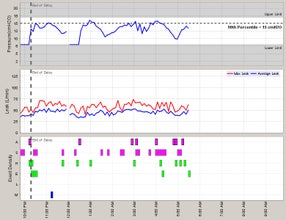
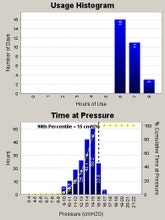
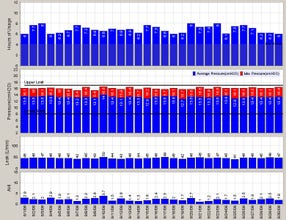
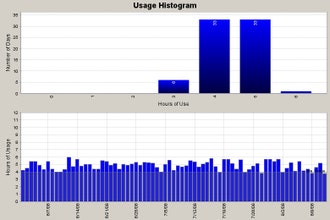
Compliance software provides data such as patient hours, total machine operating hours, pressure setting, and pressure relief information. Advance software includes compliance data, as well as more detailed data such as AHI (Apnea/Hypopnea Index), leakage, average pressure, and a graphical representation of data.
Compliance software is available with some standard CPAP machines. Advanced software is available with most top of the line CPAP machines, APAP machines, and BiLevel machines.
The top 2 'tabs' and connector must be aligned first, then the last tab can be slid into place. If all 3 are aligned at once, the module will not attach properly. Typically, there will be an audible 'clicking' noise when the module is fully attached. Verify that all points are connected by lightly pulling on the module after installation.
If you are receiving an "EA1 Module Fault Contact Provider" message on your IntelliPAP screen, your SmartLink module is not properly attached.
CPAP.com 100% Price Protection Guarantee
When you shop with us, we want you to be confident that you are receiving the best available price. If this items goes on sale or you spot an online or retail competitor with a lower price within seven days of your purchase, let us know, and we will credit you the difference.
"Super helpful, fast shipping, friendly assistance, great selection, I love this company."
- Verified Customer, 10/25/22
(70)
Read Reviews
Need a personal touch?

Chat with CPAP
Questions about a product or an existing order? Start a chat and let us help you out.
Start a chat



Customer Reviews
See what other customers are saying.
Make sure you get both boxes
Get it with the Machine - No Brainer
Must Have
Exportind data
Frustrating !!
Card reader
Customers Also Viewed
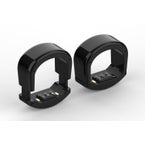
BodiMetrics CIRCUL Sleep & Fitness Ring Tracker
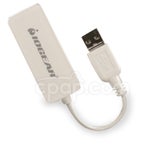
Encore USB SD Memory Card Reader For All PR System One Machines
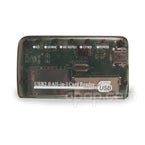
SD Memory Card Reader for IntelliPAP, PR System One, Curasa, S9, AirSense 10, and AirCurve 10 CPAP Machines
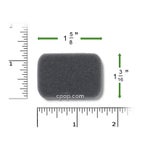
Reusable Black Foam Filters for IntelliPAP and IntelliPAP 2 CPAP Machines (2 Pack)
SD Memory Card for CPAP Machines (4GB - FAT32)
CPAP Rx Renewal Service
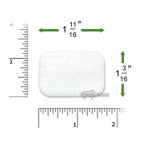
Disposable White Fine Filters for IntelliPAP and IntelliPAP 2 CPAP Machines (6 Pack)