cpap.com Logo view cart
view cart
Items ($0.00)
Bottom of cpap.com logo
My Account Login
 
Home  Shop  Learn
HACKER SAFEcertified sites prevent over 99.9% of hacker crime.
Category: CPAP Machines > Software > Machine Software
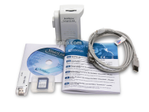
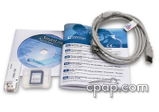
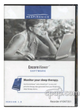
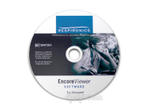
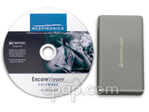
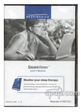
EncoreViewer v1.0 Software for Respironics M Series and REMstar Machines

$139.00

This product ships for FREE! Shipping Policy
Rated 4.1 out of 5 by 66 cpap.com customers. Read reviews.
Part Number 1047351: In Stock and Available to Ship Today.
Key Product Information

    Manufacturer: Respironics

    Print and view your sleep therapy data using EncoreViewer Software!

    EncoreViewer is manufactured for end-users of Respironics sleep therapy devices, enabling one to view compliance and therapy information with the use of a Smart Card. The EncoreViewer software will not delete or alter data on the Encore Pro Smart Card.

    EncoreViewer is a software program that analyzes data recorded by Respironics CPAP and BiPAP machines and generates therapy reports. The information in the reports includes occurrences of flow-limitation events like snores, hypopneas or apneas, time at specific pressure levels (on auto CPAPs and BiPAPs), event histograms and mask leaks. The information is given in short-term detailed formats as well as in long-term trends.

    EncoreViewer supports only the following Respironics sleep therapy devices:

    • All CPAP, Auto, and BiPAP with SmartCard
    • All M Series systems with SmartCard
    • BiPAP autoSV with SmartCard)

    Does Not Work With:

    • REMstar Choice
    • REMstar LX


    Respironics DOES offer minimal technical support for this product. Respironics technicians will not assist with interpretation of data, but you may leave your information directly with Respironics and a representative will call back within 2 business days.


    Returns Offered on Warranty Issues Only

Event Viewer Cover2
Enlarge Image

View Discount Bundles
In House Comments
Instructions for Installing EncoreViewer

Please read the following instructions to avoid receiving the error message "Verison 1.3 or higher is needed".

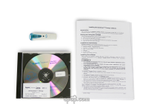
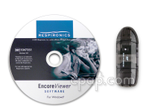
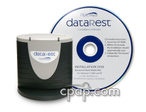
First time installation requires that you load the Software CD before attaching the Smart Card Reader. Once the disc labeled "EncoreViewer Software for Windows" is installed, attach the Card Reader. The hardware will install without a CD if your computer already has drivers loaded. If the computer asks to load drivers, use the disc labeled SmartCard Reader/Writer "Installation wizard for the software drivers. For Windows OS".

We do not offer technical support or interpretation assistance with this software. Please consult your physician or clinician for interpretation assistance.

*This package does not include a Smart Card.

You are able to print reports using EncoreViewer.
However, data reports cannot be exported to a file.

EncoreViewer is a much smaller program than Encore Pro. It provides the same detailed data as Encore Pro, but is only about 40 MB in size and does not require installation of Microsoft SQL Database Server. Installation is much simpler and less cumbersome than Encore Pro.

The EncoreViewer software will not delete or alter data on the Encore Pro Smart Card.

Here are links to information that may be helpful in using this EncoreViewer Software 1.0:

Encore Pro Smart Card

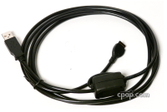
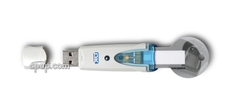
Respironics Smart Card Reader - USB

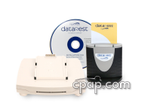
Bundle that includes EncoreViewer Software and the Respironics Smart Card Reader - USB

Encore Viewer 1.0 works with all Respironics REMstar and M Series machines.
User Reviews

Encore Software   June 05, 2009

(5 out of 5) by Brenda

"Easy to install. I did get alerts that publisher couldn't be verified which might alarm some people but I understood what that meant. So I just bypassed those. Works fine on my Vista Home Premium (32bit). Software program itself is fairly basic and pretty simple to figure out how to use with just the least little exploration. Using this software enabled me quickly to see why my average and okay numbers didn't correlate to the lack of improvment I was experiencing. Made appropriate changes and started seeing marked improvement immediately. Would have taken a month of experimentation to figure out suitable settings otherwise. Best money I have spent."


Was this review helpful for you?

A little expensive, but worth it   May 19, 2009

(4 out of 5) by Kevin L, Burlington, NC

"The software is really easy to install and use. It's minimalistic display makes it quick and easy to use. Personally, I find it better than other viewing software and really enjoying seeing how I am doing. If you are wanting to keep an archive of your reports, you'll need to find a Freeware PDF printer."


1 of 1 found the review helpful.
Was this review helpful for you?

Encore Viewer Software   May 05, 2009

(3 out of 5) by Rich S, San Marcos, CA

"Encore Viewer does exactly what it says. It allows you to view the results of your CPAP SmartCard. It even allows you to print the results - I suppose I should be grateful. But for some reason I expected to be able to save the results and send them to my doctor electronically, and I can't find any way to do that. Although I realize this is not the professional version, still, even as a mere patient working with his own doctor, I would have expected to be able to save the results and transmit them to my doctor. So, he will get a paper version when I can get it to him. Buyer beware unless you are still in the stone age using paper."


2 of 3 found the review helpful.
Was this review helpful for you?

March 06, 2009

(4 out of 5) by Annoymous User

"The software works fine. No installation problems with XP Pro SP3. Respironics could benefit by polishing up this SW."


3 of 3 found the review helpful.
Was this review helpful for you?

software   February 04, 2009

(4 out of 5) by James

"It is very easy to load and use this software. I feel like I have a lot more control and day to day understanding of my condition...."


Was this review helpful for you?

Read All Reviews

Purchased This On CPAP.com? Add your review.
Product Specifications
System Requirements
  • Color monitor with 16 bit color, 800x600 resolution (minimum, but not limited to)
  • Windows®-compatible PC with Pentium III or later processor running Windows XP Home SP2 or Windows Vista Home
  • 256 MB system memory
  • 50 MB free hard disk space
  • Windows-compatible pointing device (mouse)
  • Windows-supported USB port or PCMCIA slot
  • UL 1950, IEC 60950, or EN 60950 compliant computer
  • USB SmartCard Reader (PN 1014352) or PCMCIA SmartCard reader (PN 1014353) to copy therapy data from the SmartCard to your computer.
Product Images
Encore Viewer Software one Encore Viewer Software two Encore Viewer Software three
Encore Viewer Software Encore Viewer Software four Encore Viewer Software five
Encore Viewer Software six Encore Viewer Software seven  
©1999-2009 US Expediters Inc. All Rights Reserved. User Agreement Privacy Policy Return Policy Links Site Map